01
One useful draft. One human check.
Write a clear prompt and improve a neighbourhood invitation.

A practical path for our neighbourhood. Start with a small win. Build websites, apps and a second brain. Then connect automations, bots and agents into your own assistant.
Pick a goal to see a suggested sequence. Every project stays open. Graph nodes open the project labs.
Original ten-second Hyperframes render. Follow the request through an agent and a tool, then stop for human review. The lesson diagrams above are crisp vector animations; this is the actual rendered video.

Write a clear prompt and improve a neighbourhood invitation.
Create a reusable planning assistant with clear boundaries.
Open a working one-page neighbourhood club site on your laptop.
Build a checklist that adds, completes and removes tasks.
Make an installable webapp, then verify its offline behaviour.

Build a small linked note library and answer with source names.
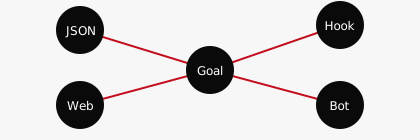
Route a fictional request to review or the normal queue.
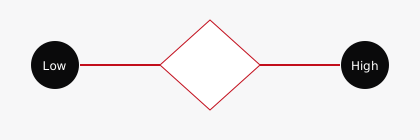

Turn a fictional request into a short reviewable summary.
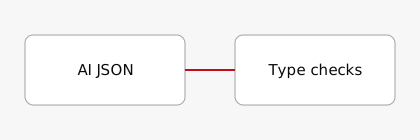
Receive a real test message through your own Telegram bot.
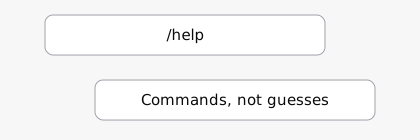
Watch a tool-using agent calculate a fictional supplies total.
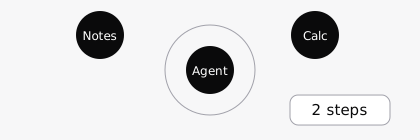
Create a clearly labelled assistant using your approved notes and preferences.
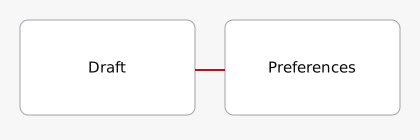
Run a reviewed weekly-plan workflow from fictional notes.
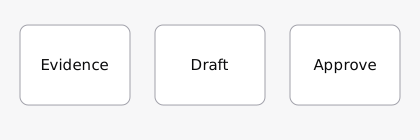
36 copyable prompts
Write a friendly invitation under 60 words. Fictional practice facts: Saturday, 10:00, community room, free entry. Do not add speakers, food or booking links. Leave missing details blank.Open lesson 01
Rewrite my invitation in simpler English, under 40 words. Keep only Saturday, 10:00, community room and free entry. Do not add promises or links. Return one title and the message.Open lesson 01
Compare this invitation with the confirmed facts: Saturday, 10:00, community room, free entry. List unsupported claims and missing information. Do not invent replacements. Invitation: [paste draft].Open lesson 01
Help me plan three fictional tasks: buy stationery, draft a club invitation, tidy the desk. Ask how much time I have before planning. Do not send messages or invent appointments.Open lesson 02
Act as my planning assistant. First ask for tasks, priorities and available time. Use only my answers. Return Task | Next step | Time estimate to confirm. Label assumptions. Draft only; never claim to send, book or complete actions.Open lesson 02
Review this assistant plan against my stated time and priorities. Flag invented tasks, unconfirmed estimates and actions that need my approval. Give one specific correction for each. Plan: [paste].Open lesson 02
Create one complete index.html for a fictional neighbourhood book club. Include a heading, three activities and a sample contact placeholder. Use crimson #E11021, ink #0A0A0B and near-white #FAFAFA. No external assets or forms. Return code only.Open lesson 03
Improve this HTML into a responsive one-page club site. Keep existing facts. Use semantic headings, readable contrast and visible keyboard focus. No tracking, external dependencies or invented links. Explain where to edit the text. HTML: [paste].Open lesson 03
Review my HTML for mobile layout, heading order, contrast, broken links and misleading claims. Give a short test checklist and exact changes. Do not invent test results. HTML: [paste].Open lesson 03
Create a complete single-file HTML task checklist. Add a task, mark it done and delete it. Use crimson, ink and near-white. Start empty. No network requests, accounts or libraries. Include labels and keyboard controls. Return code only.Open lesson 04
Add localStorage persistence, Export JSON and Clear data to my checklist. Treat typed text as text, not HTML. Handle empty inputs and damaged stored JSON. No API keys or network calls. Explain how to test on localhost. Code: [paste].Open lesson 04
Review this checklist code for unsafe HTML insertion, missing labels, empty input handling and persistence failures. Give manual tests, not claimed results. Keep the app offline and single-file. Code: [paste].Open lesson 04
Make my checklist layout comfortable on a phone: large buttons, clear labels, no horizontal scrolling. Preserve behaviour and local data. No dependencies or invented features. Return the complete HTML. Code: [paste].Open lesson 05
Turn this checklist into a small PWA. Return separate index.html, manifest.json and sw.js. Use supplied icons/192.png and icons/512.png, start_url ./ and standalone display. Version the cache and remove old caches. Cache app files only. Explain localhost and HTTPS tests. Code: [paste].Open lesson 05
Review these PWA files for manifest paths, icon sizes, service-worker scope, cache versioning and offline behaviour. Provide browser tests. Do not claim it is installed or app-store ready. Files: [paste].Open lesson 05
Turn this fictional note into Markdown with Title, Key facts, Open questions and Related notes: Book club meets Saturday at 10:00 in the community room. Entry is free. The organiser has not confirmed refreshments.Open lesson 06
Answer only from the labelled notes below. Cite note filenames for each factual answer. If the notes do not establish a fact, say Not in my notes. Do not use outside knowledge. Question: [question]. Notes: [paste labelled notes].Open lesson 06
Check this answer against the supplied notes. List unsupported claims, incorrect filename citations and missing caveats. Suggest a facts-only revision. Notes: [paste]. Answer: [paste].Open lesson 06
Sketch a tiny workflow: manually start, create a fictional request with urgent=true, send urgent requests to review and others to the normal queue. Name the inputs and the expected output. Do not add AI or external messages.Open lesson 07
Write a manual test table for my request router. It uses a Boolean urgent field: true means review, false means normal. Include a missing-field case and a wrong-type case. Do not claim the workflow was executed.Open lesson 07
Check my workflow design for missing fields, text-versus-Boolean mistakes and dropped request data. Give one correction at a time. Design: Manual Trigger -> Edit Fields -> If -> review or normal Edit Fields.Open lesson 07
Summarise this fictional request in one sentence. Use only its facts: I want the community room for a reading circle on Saturday. Time and permission are not confirmed. Mark missing facts as unknown.Open lesson 08
Summarise this request in one sentence, then list missing facts. Use only the input, no promises or invented dates. Request: {{$json.request}}Open lesson 08Compare the summary with the original request. Identify unsupported facts and missing caveats. Give a corrected summary. Original: [paste]. Summary: [paste].Open lesson 08
Design a short factual welcome for a fictional community bot. Say it is a test bot, answers only practice FAQs and is not monitored for urgent requests. Do not invent meetup dates, links or services.Open lesson 09
Write three practice FAQ answers for my test bot using only these fictional facts: free learning group; topics include prompts and automation; the next date is unconfirmed. For other questions say Ask the organiser. No urgent-service claims.Open lesson 09
Review this bot welcome and FAQ for invented information, ambiguous promises and inappropriate urgent-use claims. Keep it clear that this is a workshop test bot. Text: [paste].Open lesson 09
Work out the fictional supplies total: 12 notebooks at 3 units each, plus 8 pens at 2 units each. Show the arithmetic and state the total. This is a workshop calculation, not a real purchase.Open lesson 10
You are a workshop supplies assistant. Use Calculator for arithmetic when appropriate. Show the expression and result. Use only supplied quantities. No purchasing, messaging or booking tools are available. Ask for missing quantities; never claim actions were completed.Open lesson 10
Inspect this recorded agent output and tool trace. Did a calculator call occur? Does the result match 12*3+8*2=52? Flag unsupported claims. Do not assume execution from answer text alone. Trace: [paste redacted trace].Open lesson 10
Draft a fictional club reminder using these style rules: short sentences, warm tone, no hype. Facts: Saturday, 10:00, community room. Label it AI-assisted draft. Do not add promises, names or links.Open lesson 11
You are a clearly labelled AI style/knowledge assistant, not me. Use only the approved notes and style card below. Cite note names for facts. Say when information is absent. Draft only; never impersonate or claim actions. Style card: [paste]. Notes: [paste].Open lesson 11
Compare this draft with my approved style card and notes. Flag invented facts, identity claims and style mismatches. Suggest one revision. Do not infer personality beyond the card. Card: [paste]. Notes: [paste]. Draft: [paste].Open lesson 11
Use these fictional notes to suggest three next actions: organise books; ask organiser about room permission; draft an invitation after permission. Mark dependencies. Do not send or book anything. Return Action | Evidence | Approval needed.Open lesson 12
Create a weekly plan only from these labelled notes: {{$json.notes}}. Return Action | Evidence note | Dependency | Approval needed. Use at most three actions. Mark missing facts unknown. Produce a draft only; do not claim to send, book or finish work.Open lesson 12Audit this capstone plan against its notes. Identify invented facts, missing dependencies and actions needing permission. Return Pass/Revise with reasons. Do not approve on my behalf. Notes: [paste]. Plan: [paste].Open lesson 12